In this article
Start with your account’s billing details
Have an admin open Administration → Billing. Record the product, tier, paid seat quantity, billing period, AI credit allowance and renewal amount. The billing guide explains where to find your plan and invoices. Your account’s offer is the starting point for a renewal decision.
This guide checks public USD annual pricing on September 13, 2026 for monday’s Work Platform/work management offering. Prices exclude tax; the billing country and checkout determine the final currency and amount. CRM, dev and service are separate products. Do not apply this table to them simply because a tier has the same name.
Read the annual rate and full purchase together
The official pricing page shows these seat rates and minimum monthly AI quantities in its current purchase presentation:
| Work Platform tier | Per seat/month, billed annually | Minimum monthly AI credits in the new model |
|---|---|---|
| Basic | $9 | 1,000 |
| Standard | $12 | 2,000 |
| Pro | $19 | 3,000 |
| Enterprise | Custom quote | Confirm with sales |
Free supports up to two seats and does not include these paid AI capabilities. The annual rate is a monthly equivalent attached to a yearly purchase. Select Monthly on the source page for a monthly quote; do not treat the annual headline as a monthly cancellation option.
The current ten-seat Standard presentation breaks down to $120 for seats + $20 for 2,000 credits − $20 introductory discount = $120/month equivalent. Without that displayed discount, those components total $140. This illustrates the displayed offer; it does not establish how long a discount lasts or what your renewal will cost.
Ask for the credit quantity, discount duration and renewal total in the same quote. Credits included in the purchase can be a paid component whose introductory discount currently offsets the cost.
Why four people can mean five paid seats
monday’s plan and seat documentation describes bucket pricing: paid plans begin at three seats, then use multiples of five. Four members need five seats; six need ten.
At the Standard annual seat rate, the seat portion alone works out as follows:
| Team size | Paid seats | Monthly cost | Yearly cost |
|---|---|---|---|
| 3 | 3 | $36 | $432 |
| 4 | 5 | $60 | $720 |
| 6 | 10 | $120 | $1,440 |
These are calculations for seats, before AI charges, discounts and tax. Moving from five to six members crosses a bucket boundary: the seat portion doubles from $60 to $120/month equivalent. That does not mean every future hire doubles the bill.
Count the roles people actually need. A read-only viewer and a member who edits boards need different access; guest billing has its own rules. Keep separate calculations when comparing Asana pricing or ClickUp pricing, since their role rules do not transfer automatically.
Check whether the May 2026 AI model applies
The AI pricing model notice applies to customers who joined the monday Work Platform on or after May 6, 2026 and were offered seats plus AI credits. It says the model does not affect monday CRM, monday dev or monday service.
For those eligible Work Platform customers, credits must be purchased alongside seats. They are not a universal free allowance. The required minimum is account-level consumption capacity: do not multiply the 2,000-credit Standard minimum by every person in the team.
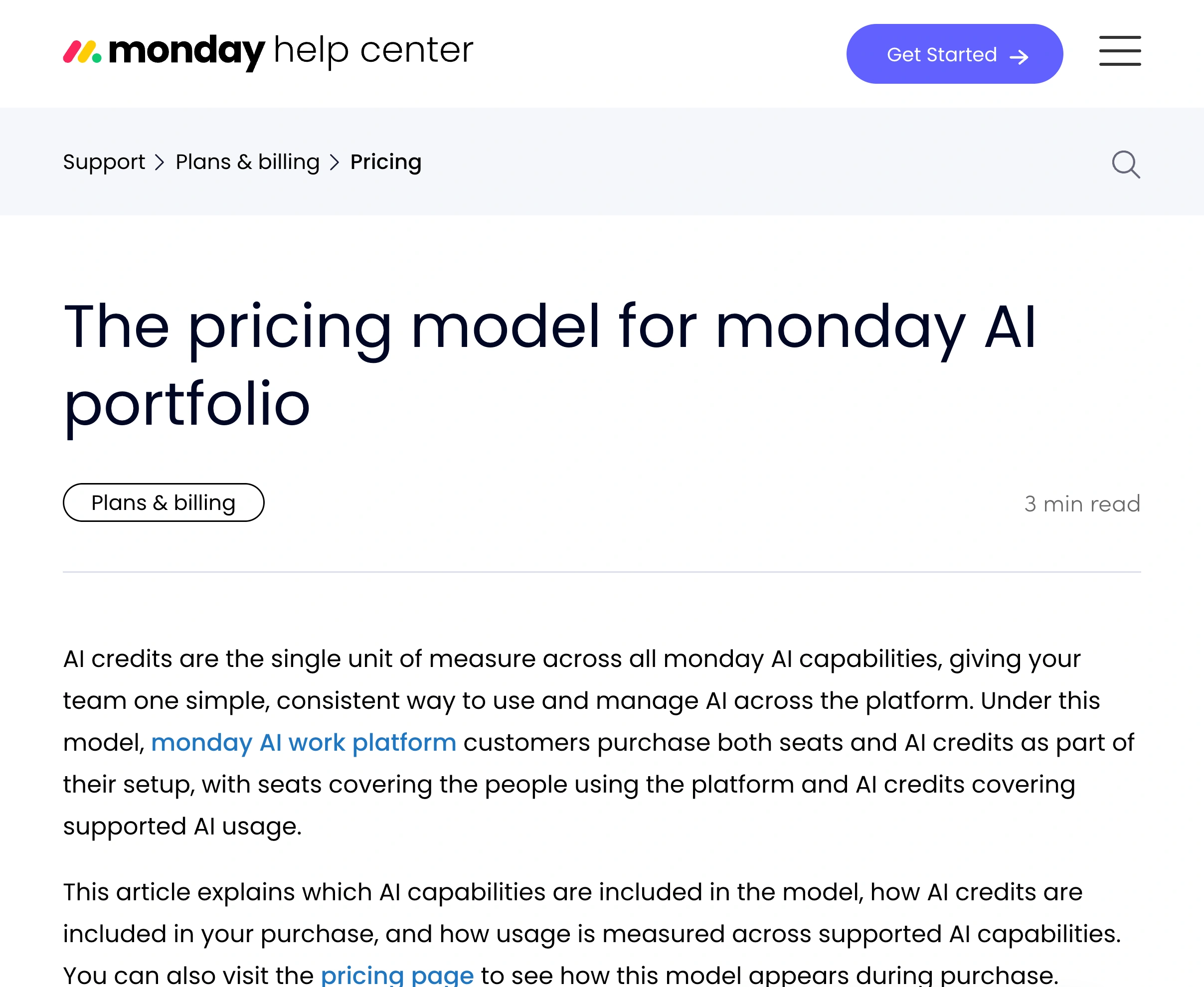
Source: monday Help Center, AI pricing model, captured September 13, 2026. The separate eligibility notice limits this model to the new Work Platform accounts described above.
If an existing account has different terms, compare its actual offer instead of assuming migration. Save the dated quote with the renewal decision. A colleague’s newer account, an older review and today’s public page may describe different purchasing situations.
Turn an AI allowance into a workload estimate
The AI Credits documentation, updated September 9, lists 120 credits per meeting hour for AI Notetaker and 8 credits per AI block action. Its counting rule groups actions on the same item within 24 hours; subitems count separately. Agents and Sidekick have task-dependent consumption, so a fixed “credits per prompt” estimate will not cover every request.
Consider a Standard team using its 2,000-credit bucket for:
- Ten hours of recorded meetings: 10 × 120 = 1,200 credits.
- AI block processing on 100 distinct items, with one counted action per item: 100 × 8 = 800 credits.
That consumes the entire allowance before other chargeable work. Three AI columns acting on those same items inside the documented 24-hour window do not automatically mean triple the credits. Separate subitems or actions outside that window need another calculation.
Measure a representative week, then leave room for variable agent tasks. The AI Feature Catalog distinguishes credit-consuming capabilities from included platform enhancements. It is more useful than assuming every board action has the same cost.
Use native usage controls before buying more
Admins can review consumption and limits in Administration → AI governance. monday’s administration guide describes credit breakdowns, exports and usage limits. The AI Credits guide documents notifications at 80% and 100%; some capabilities have a short grace period before usage is paused.
For a visual introduction, Mastering monday’s March 23, 2026 tutorial shows the usage controls. It predates the May purchase model, so use it to understand the dashboard and use current documentation for prices and consumption rules.
Watch a public pricing condition before renewal
PageDog helps when a published credit minimum or eligibility condition changes while you prepare a budget. Billing and AI governance remain the native places to manage the account.
Open the public AI pricing notice in PageDog on your Mac. Select the visible tier and minimum-credit area, and set a goal such as “Tell me if Standard’s required monthly AI credit minimum changes from 2,000.” Choose a daily schedule and check the baseline evidence to ensure the selected text is visible when the page loads.
After a matching change, read the saved evidence and reopen monday’s source. Compare the new public condition with your account quote before changing the budget. Checks run locally while PageDog is running and your Mac is awake and online; hosted AI receives selected evidence to evaluate the goal. PageDog does not manage seats or subscriptions. The SaaS pricing change guide explains how to keep watches specific across several vendors.