In this article
Local-first at a glance
| Part of the workflow | Where it happens |
|---|---|
| Opening the page and confirming a visual change | On your Mac |
| Browser profile, cookies, and signed-in session | On your Mac |
| Schedule, saved captures, and change history | On your Mac |
| Validating a tracking goal during setup | Hosted validation receives the goal text, without page captures |
| Evaluating the exact goal after a confirmed change | Hosted AI receives bounded evidence |
| Sending an email alert, when enabled | The delivery service receives the alert payload |
“Stored locally” and “temporarily included in a request” are different boundaries. PageDog keeps the working browser and full record local while sharing the information required for a specific hosted action.
How PageDog uses the term local-first
The broader idea is not simply “nothing ever reaches a server.” The original Ink & Switch local-first essay emphasizes user ownership and responsive local copies, while a 2026 conversation with Ink & Switch founder Adam Wiggins describes local-first as a practical balance rather than a rejection of cloud services.
For PageDog, the concrete promise is narrower: the Mac performs each visit and holds the browser session, schedule, captures, and history. The table above names the bounded hosted steps instead of hiding them behind the label.
What stays on your Mac
The desktop app owns the check. It opens the page from PageDog’s persistent local browser session, uses the schedule saved with the watch, captures the selected area, and stores the result in local history.
That matters for signed-in pages because there is no remote browser trying to recreate your account session. If the site later requires another login, OTP, CAPTCHA, or security step, PageDog marks the watch as Needs attention so you can resolve it in the same local browser. See how to monitor a webpage behind a login for the setup and recovery flow.
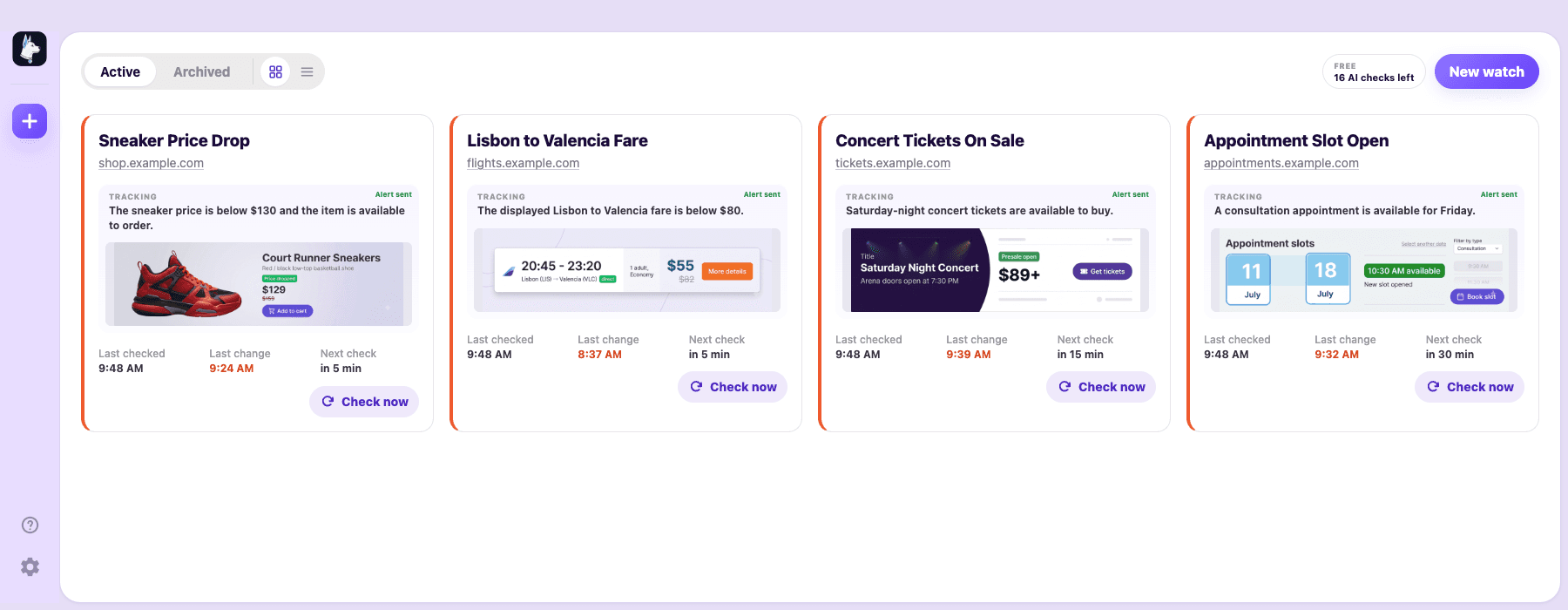
The watch list and history remain part of the desktop workflow rather than a cloud dashboard that performs checks on your behalf.
What leaves the Mac—and when
During setup, choosing Check condition sends the tracking-goal text to PageDog’s hosted validation endpoint. It checks whether the wording describes one observable outcome. That request does not include page captures.
After PageDog confirms a visual change, hosted AI may receive the exact goal, watch name and URL, limited page context, selected-area text and structure, compact diff details, hashes, and—when visual comparison is needed—before-and-after evidence or focused crops. The request is size-limited and assembled for that verdict.
The browser profile, cookies, and complete local history are not included in that evaluation request.
The selected-area workflow is explained separately in how to monitor one part of a website, including what evidence is needed for an exact verdict.
Email alerts are separate and optional. When enabled, the delivery backend receives the recipient, watch name and URL, notification text, change time and percentage, the AI result when available, and before-and-after evidence when attached.
When the trade-off fits
Local monitoring depends on PageDog running, the Mac being awake, the network being available, and any required page session still being valid. It is a good fit when you value a normal local browser session, direct recovery, and history stored on your computer.
It is not the right model when you require a remote worker that checks independently around the clock. PageDog makes that limit visible: your Mac performs the visit, hosted services handle only the bounded tasks you enable, and a person remains in control of authentication.