In this article
Start with the notice Grok shows you
If a request stops working, read the message before changing anything. Record which feature you used, whether the message names a limit, and whether it gives a reset time. A restriction on one feature is not proof that every Grok feature is unavailable.
This guide checks the public documentation on October 1, 2026. It covers free consumer access, not an API account, an organisation's business allowance or a promise that every region and account receives identical access.
If the notice gives a return time, use that as your next checkpoint. Save your own task outline so you can resume later. Repeatedly submitting the same request does not establish when capacity will return, and a timer quoted by another user may describe a different feature or plan.
Before assuming a quota problem, also check the official service-status page. An incident and an exhausted allowance call for different responses. A normal status page cannot diagnose your account, but it can help you avoid treating a reported outage as a reason to upgrade.
What the official pages confirm—and leave unspecified
The current consumer pricing page lists a Free plan at US$0 per month and describes access within limits. Its feature comparison marks real-time web and X search as limited. That establishes a free tier; it does not establish a guaranteed number of prompts for every user.
The Grok app FAQ, updated August 27, explains the paid SuperGrok weekly pool introduced in June. It also says that free Chat and Voice allowances remain separate and use their own reset schedule. The FAQ does not turn that distinction into a universal free-message number or a fixed free reset interval.
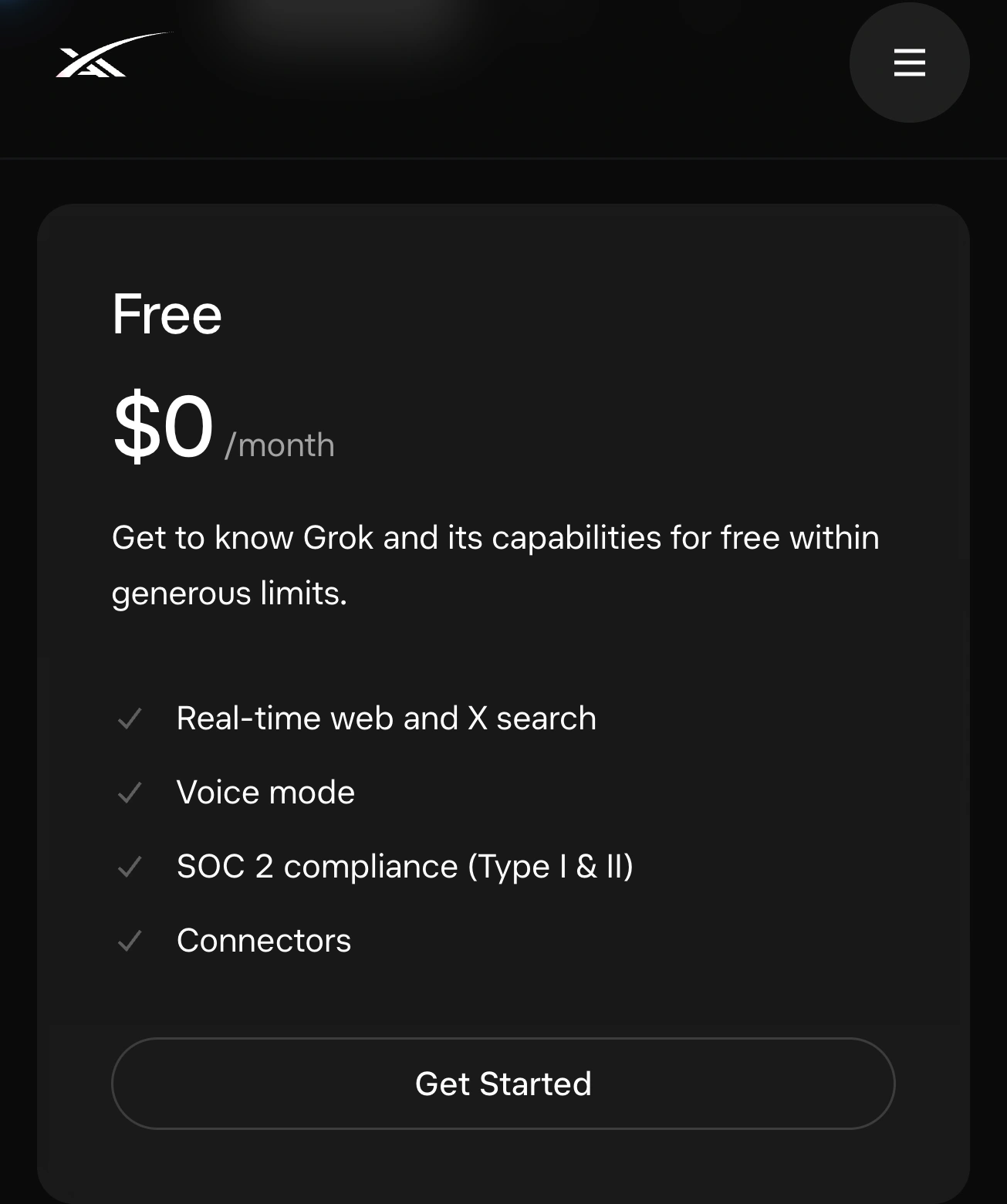
Source: SpaceXAI pricing, captured October 1, 2026. The Free card confirms free access without publishing an exact message count.
For the paid pool, the same FAQ documents Settings → Usage, including the reset information. That is useful context if your account has a subscription. Do not assume a paid weekly reset describes a free user's next available chat.
| Question | Reliable place to look |
|---|---|
| Does free access exist? | The current official Free plan and the access offered to your account. |
| How many requests can I make now? | Your current feature's notice; the public pages checked here provide no universal count. |
| When can I resume? | A reset time shown to you, if one is provided. |
| Is a weekly pool the same as free usage? | No; the current FAQ describes separate allowances. |
| Is this an API rate limit? | Use developer documentation for API requests, not this consumer guide. |
Why a confident message-count table can be misleading
An old tutorial may accurately describe what its author saw on one date. It becomes unreliable when that observation is presented as a permanent rule for every account. Check the product surface, feature, plan and observation date before reusing any number.
For example, “I sent ten messages” is an observation, not a controlled test of the maximum. The author may have used a different feature earlier, encountered a temporary restriction, or stopped before reaching a limit. An answer generated by a chatbot is also not a policy announcement from its operator.
X's Premium help describes increased Grok limits among subscription benefits. That does not supply a fixed free allowance either. Keep a benefit described on X separate from the exact notice shown in the Grok app.
Independent roundups such as Justin McKelvey's Grok usage guide can help you locate related questions. Check their links and dates against the official source before planning a workload. Our Gemini usage-limits guide is a separate product guide; its reset rules do not transfer to Grok.
Make a small troubleshooting record
You do not need a spreadsheet of guessed quotas. A short note is more useful:
- Where: Grok website, mobile app or X.
- What: the specific action that stopped working.
- When: your local date, time and time zone.
- Message: the exact limit or error wording, including any displayed reset.
- Next step: return at that time, check service status, or use the support route in the official FAQ if the problem persists.
Keep personal prompts and account details out of anything you share publicly. If you compare two sessions, keep these labels consistent. Otherwise, a changed result may simply reflect a changed test.
Watch a public rule when your workflow depends on it
For today's allowance, the account notice is the simplest source. Monitoring becomes useful for a different question: has the public rule changed since I planned my work?
An element-based browser monitor is one option. Distill's extension guide explains its page-selection workflow. Its official April 29, 2024 tutorial shows that selection process:
This older video demonstrates monitoring a selected page area. It does not document current Grok limits or show PageDog; use Distill's current guide for its controls.
On a Mac, you can use PageDog to open the FAQ’s free-access paragraph, select the relevant visible paragraph, and set a concrete condition: “Notify me when this section states an explicit free Chat message allowance or an explicit free Chat reset interval.” Include the heading so a generic number elsewhere cannot answer the condition.
Run a check and inspect its evidence. Reload the page and confirm the same section remains visible before relying on the watch. Our website-change monitoring guide explains choosing a useful area.
PageDog checks locally on an awake, connected Mac and uses hosted AI to evaluate selected evidence. This public-documentation watch does not inspect your private remaining quota or restore access. Treat an alert as a prompt to read the new official wording and decide whether it affects your work.