In this article
Begin with the native skill controls
Open Customize, then Skills, and inspect the creation options available in your account. Anthropic's current skills guide explains the prerequisites, including code execution and file creation. Managed organizations can also control availability.
Checked on November 22, 2026: the settings layout can label that capability “Create and edit files.” A missing creation control calls for checking the current account and organization requirements before copying instructions from an older tutorial.
For the assisted route, start from Anthropic’s Skill Creator listing and follow the installation or opening controls offered for your Claude surface. Its purpose includes creating, improving and evaluating skills. Confirm it is available before asking it to build your workflow.
Start with a task you already understand. Turning rough public meeting notes into a concise update is a useful example: you can compare the generated update with the notes and decide whether the structure helps. An unfamiliar financial or technical process is harder to validate while you are also learning the skill interface.
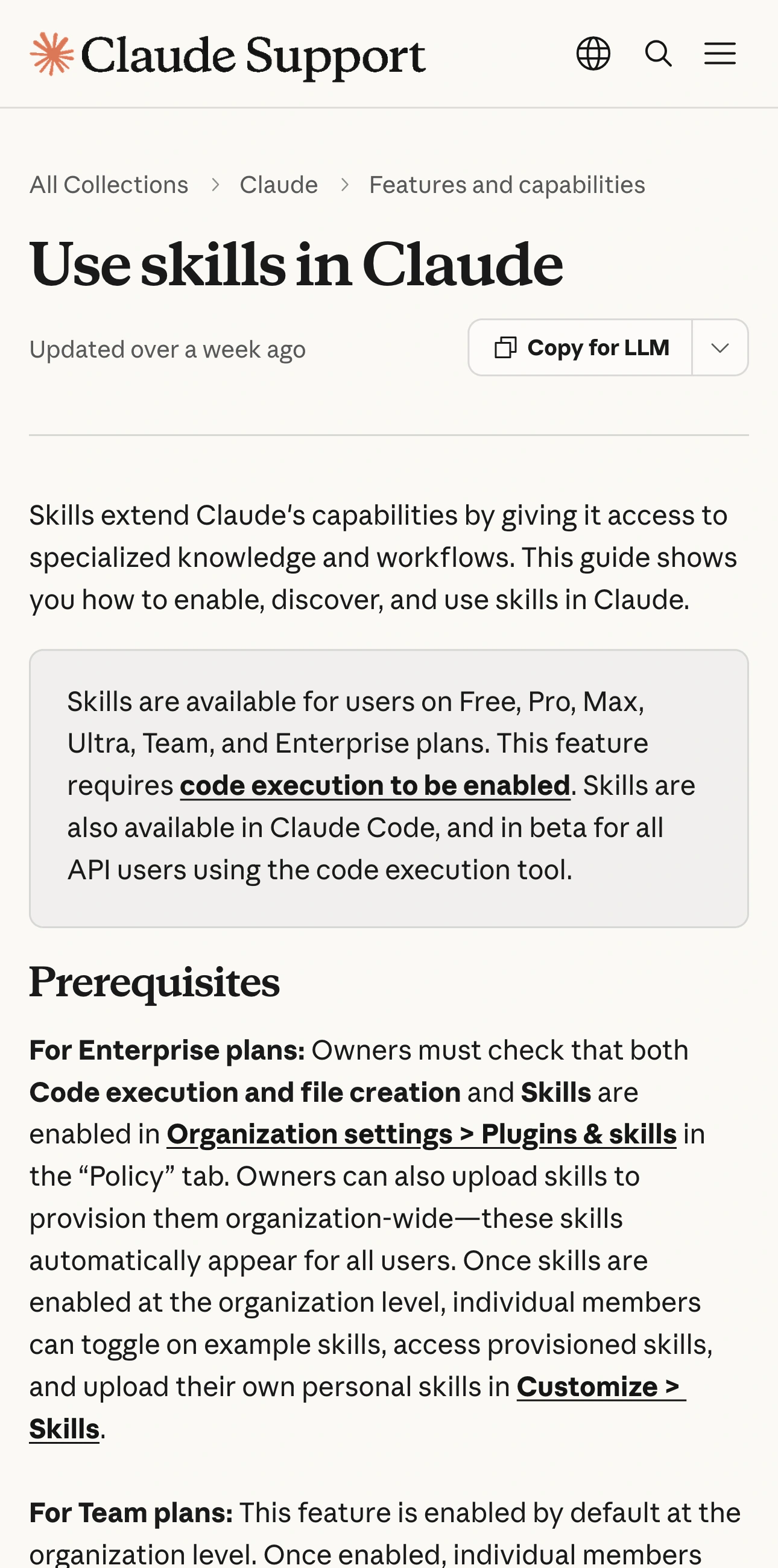
Source: Claude Help Center, captured November 21, 2026. Check the prerequisite and organization controls before creating a skill.
Describe the result before asking the creator to build it
Write a short brief in your own words. Include the input, output, trigger and boundary. For the meeting-update example, an original brief could say:
Help me create a skill for turning rough meeting notes into an internal update. Produce Decisions, Open questions and Next steps. Preserve owners and dates only when the notes supply them. Ask about missing owners instead of inventing them. Use this for meeting updates, not unrelated writing tasks.
This is an illustrative brief, not an executable skill or a tested result. Review what the creator produces against each requirement. If the generated instructions broaden the job into sending updates or changing a task system, decide whether that is actually part of your intended workflow.
Prefer one useful routine to an all-purpose assistant. A skill that covers meeting summaries, sales proposals, invoices and research has more situations to test and more opportunities to activate at the wrong time.
Review the proposed files and trigger description
Anthropic's custom-skill creation guide describes the required skill file, metadata and packaging. Check that the description tells Claude when to use the workflow, and that referenced resources are present.
Read the body as instructions for a colleague who has never seen your example. Could that person identify the source of each date? Would they know what to do when an owner is absent? Does the workflow distinguish a proposed action from one already completed?
Keep a copy of the version you review. A simple version note can record the date, intended task, resource filenames and the acceptance checks below. That makes later changes easier to compare without relying on your memory of an earlier conversation.
You do not need to add scripts to a straightforward formatting task. If a generated package does contain code, inspect its purpose, dependencies and expected inputs before using it. Do not assume that a file belongs in the workflow merely because the creator generated it.
Test three requests before relying on the skill
Anthropic explains in What are skills? that relevant skills load dynamically. A saved item and a useful activation are different observations. Use several small cases to check both the trigger and the output.
| Test case and request | What a useful result shows |
|---|---|
| Normal input: Turn complete meeting notes into an update | Required sections and supplied facts remain intact |
| Missing information: Notes include a task but no owner | The gap is identified without inventing a person |
| Unrelated task: Explain a short public paragraph | The meeting-update format is not forced onto it |
| Revised source: Change one date in the sample notes | The new output uses the revised date |
Use harmless sample notes rather than sensitive meeting content while learning. Give the sample a known answer, such as one decision, one unresolved question and one task with a named owner. You can then assess the result without a subjective debate about whether it “sounds good.”
Record the request and the actual output. If the skill does not activate when expected, review the description. If it activates but changes a fact, inspect the procedure and examples. Those are different failures and call for different revisions.
Separate recording a workflow from writing a skill
The current creation guide also documents recording a skill in Cowork on Claude for Mac, with plan and platform restrictions. Treat that as a separate creation route. Having access to ordinary skills does not establish access to recording.
If you use that route, first decide which visible steps are necessary to demonstrate. Use a public sample document, close unrelated material and review the proposed skill afterward. A recording illustrates what you did; your acceptance checks still determine whether the resulting procedure is reusable.
For recurring scheduled work, our Claude schedules guide addresses a separate question: where the run executes and which resources it needs. A reusable procedure does not by itself establish a schedule or prove that a scheduled task finished.
Anthropic's October 16, 2025 demonstration below shows the relationship between built-in document skills and a custom workflow. It is useful context for the concept; use current documentation for today's menus, plan availability and sharing controls.
Keep the workflow current without repeatedly checking the guide
A skill may depend on a public feature requirement that changes. PageDog can watch that precise official documentation section locally on your Mac. Select the visible recording-availability paragraph, for example, and describe the change that would justify reviewing your workflow.
PageDog checks while the Mac is available; hosted AI receives bounded captured evidence when your plan uses AI. An alert is a reason to reopen the source and verify the new wording. PageDog does not install, edit or run your Claude skills.
The Claude release-notes guide can help you choose the right official update stream. Keep the creation brief, reviewed version and test results together. That record makes it easier to tell whether a later failure concerns availability, activation or the instructions themselves.