
In this article
Amazon renamed its Rufus shopping assistant to Alexa for Shopping on 2026-05-13, so older instructions and screenshots may still say Rufus.
Key facts
| Amazon option | What it currently does | Main limitation |
|---|---|---|
| Shopping Lists | The Shopping app can notify you about price drops, coupons, and deals for saved items | A List is not always a numeric target-price rule |
| Alexa for Shopping price alert | Lets eligible customers request an alert when an item reaches a chosen price | Availability varies by country, account, and rollout |
| Amazon price history | Shows 30-, 90-, or 365-day history where supported | Historical windows and country availability differ |
| Third-party tracker | Keepa or CamelCamelCamel can provide longer charts and target alerts | Coverage, offer matching, and browser-extension access differ |
Use Amazon's native alerts first
Amazon provides two distinct notification paths. Use the one that matches the decision you want to make.
Save the exact item to a List
Amazon says its Shopping app can notify a customer when the price of an item in a List drops or when a coupon or deal becomes available. Before saving, select the correct color, size, storage capacity, pack count, and other variation.
Then:
- Add the selected item to an Amazon List.
- Allow Amazon Shopping notifications in the phone's operating-system settings.
- Open the item when an alert arrives.
- Recheck the variant, seller, condition, coupon, and delivery promise before buying.
A List alert can be useful without being precise. It may report that the price changed but not enforce “only notify me at $75 or less.”
Set a target in Alexa for Shopping
Amazon's current Alexa for Shopping announcement says eligible U.S. customers can set price alerts and use up to one year of price history. The assistant can answer a product-specific request such as notifying the shopper when an item reaches a chosen threshold.
Amazon's earlier 2026 announcement, published under the Rufus name, visually explains the same target-price workflow:
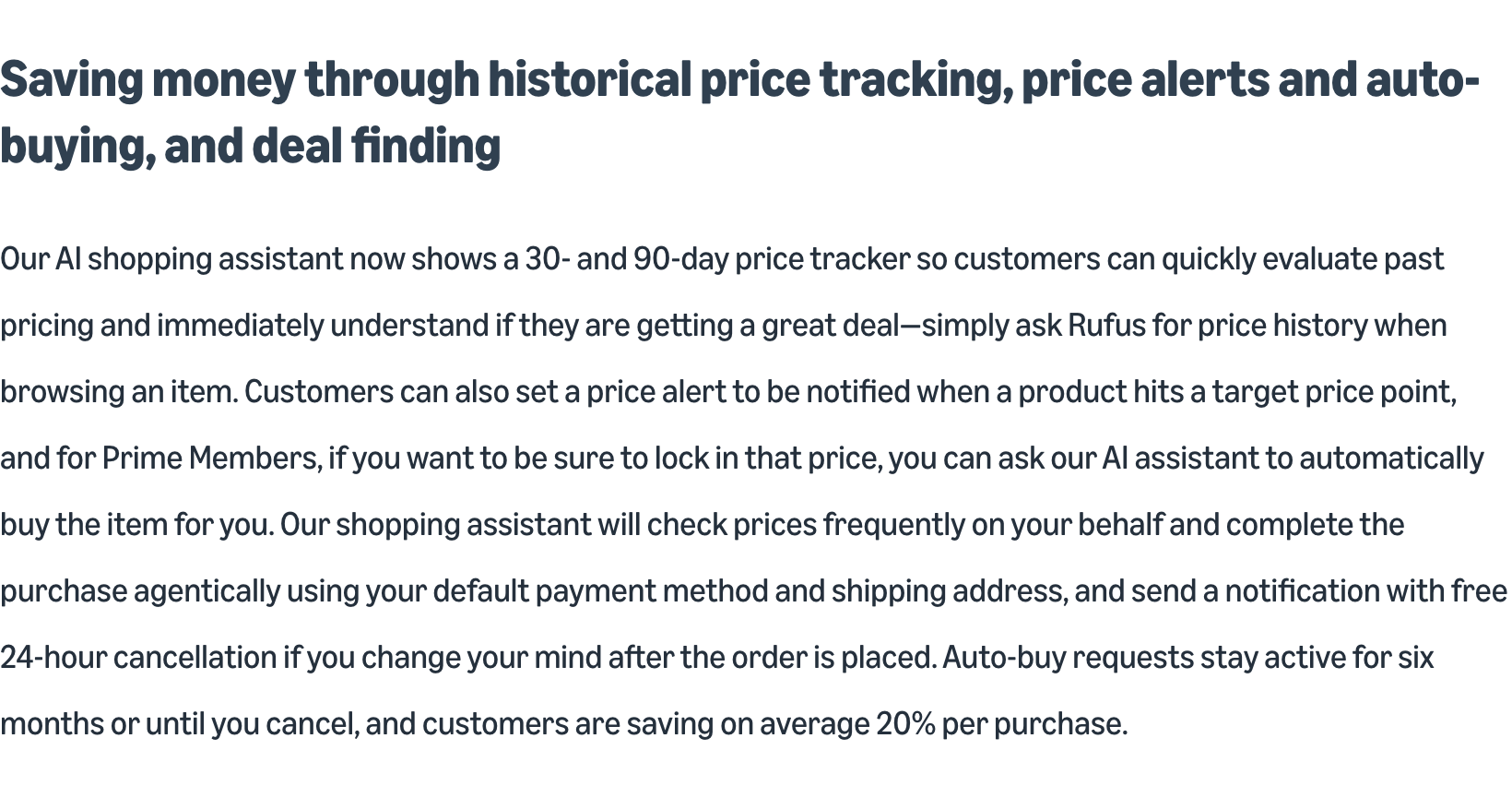
Screenshot: Amazon News shows the shopping assistant's price-history view and target-price alerts before Rufus was renamed Alexa for Shopping. Captured 2026-08-01.
Use Amazon's native alert when it expresses your goal. Amazon understands its catalog, account-specific availability, and current offer better than a general webpage monitor.
Price history is useful, but not universal
Amazon's July 2026 price-history guide describes 30-, 90-, and 365-day views. It says the feature is available in the United States, United Kingdom, Canada, and India, with the 365-day view rolling out in the United States, United Kingdom, and India.
That context helps with threshold setting. A product that rarely approaches $75 probably needs a longer wait or a different model. A product already near its recurring low may not justify delaying a needed purchase.
Do not assume every account exposes the same control. Follow the options visible in the current app, and note the country and date when sharing instructions.
Make sure the alert refers to the same offer
An Amazon product page can combine multiple offers. Define these details before tracking:
| Detail | Example condition |
|---|---|
| Product | Exact model number |
| Variant | Black, 256 GB |
| Condition | New, not used or renewed |
| Seller | Amazon or one named third-party seller |
| Fulfillment | Shipped by Amazon, if required |
| Quantity | One item or a specific pack count |
| Effective price | Price after a visible coupon, excluding optional subscriptions |
| Delivery | Deliverable to the required address by a specified date |
A lower price for a blue 128 GB model is not a drop for the black 256 GB model. A third-party seller's price is not Amazon's price. A coupon that must be clipped may not appear in the large headline number.
This is also why a monitor should use focused evidence. The PageDog guide to reducing false website-change alerts shows how variant carousels, recommendations, countdowns, and ads can create irrelevant changes.
Useful Amazon price-tracking alternatives
- Keepa's Amazon Price Tracker adds product price-history charts and target alerts through a browser extension. Check its permissions and supported marketplace before installing it.
- CamelCamelCamel provides Amazon price histories and email alerts without being Amazon. Confirm that it is tracking the same country, variant, and offer.
- Amazon's own price-history guide is the best reference for current Alexa for Shopping terminology and regional rollout.
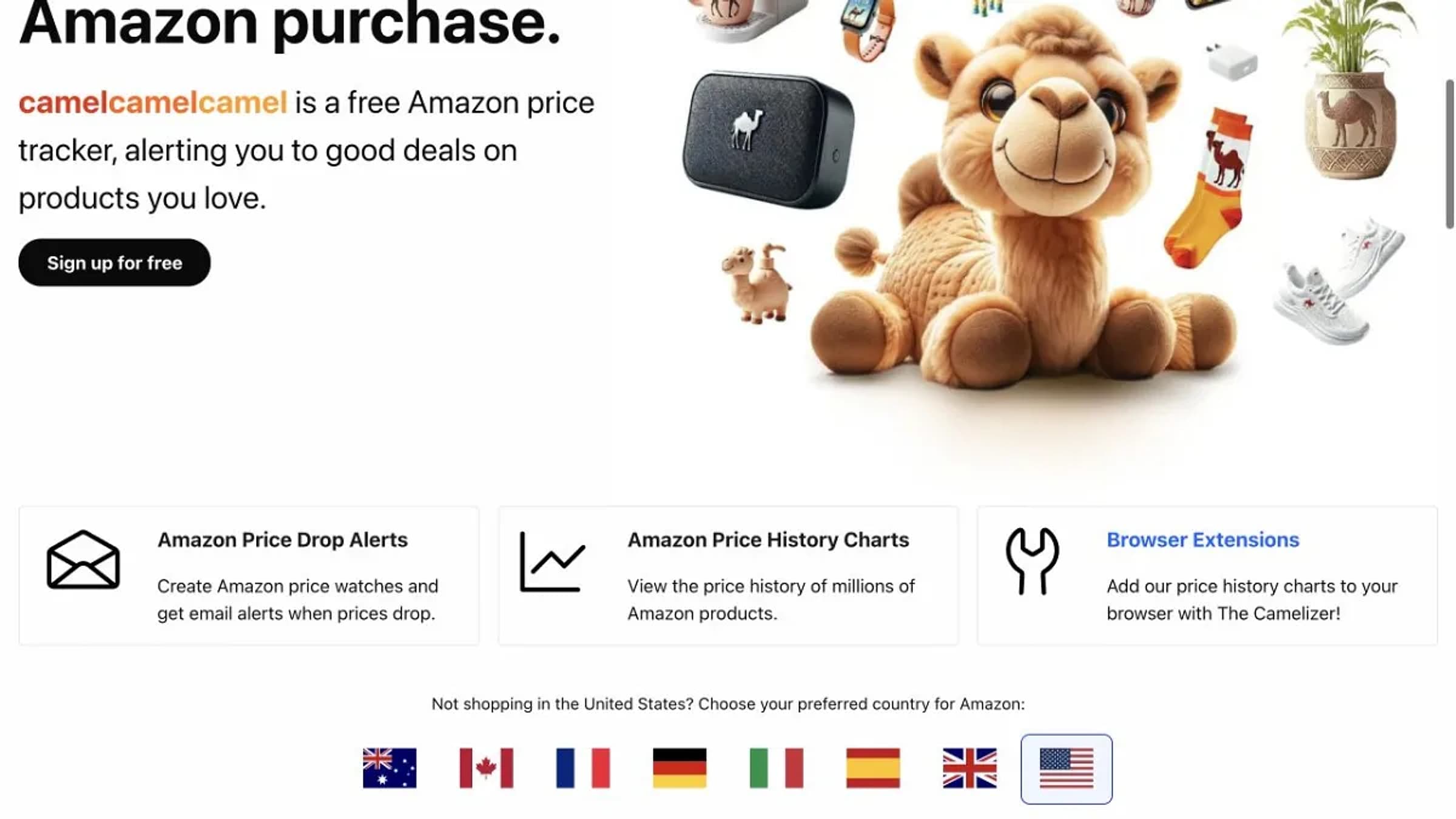
Screenshot: CamelCamelCamel presents Amazon price-drop email alerts, price-history charts, browser extensions, and separate country trackers. Captured 2026-07-31.
Third-party histories can be useful for a longer view, but they do not control inventory or checkout. Always confirm the current offer on Amazon.
A practical alert rule
Write the condition as if someone else must decide whether to buy:
Notify me when the new, black, 256 GB model sold by Amazon is available for $699 or less and can arrive by August 15.
The rule names the product state, seller, threshold, and delivery condition. When an alert arrives, verify all four before checkout.
If no alert arrives, check notification permission, the selected variant, seller changes, regional availability, and whether the discount is a coupon, Prime-only deal, subscription price, or checkout promotion.
Where PageDog fits
Use Lists, Alexa for Shopping, Keepa, or CamelCamelCamel first when one of them already describes the needed price rule. PageDog does not buy the item, add it to a cart, or bypass Amazon security.
PageDog can cover a narrower visible condition that those tools omit, such as one seller returning, a coupon appearing on one selected variant, or delivery becoming available to a location. Watch the smallest complete part of the product page that includes the variant, price, seller, and availability.
Scheduled checks run locally while PageDog is open, the Mac is awake, and the saved session can load. The PageDog documentation explains that local workflow and its limits before you create a watch.
Research sources
Official and primary
- Amazon: Meet Alexa for Shopping — current name, price alerts, price history, and U.S. rollout; published 2026-05-13.
- Amazon: How to check price history — current regional and 30-, 90-, and 365-day availability.
- Amazon: Rufus price tracking and alerts — earlier 2026 feature announcement with the previous name.
- Amazon: Shopping tips and List notifications — Amazon Shopping app List alerts.
Competing tools
- Keepa Amazon Price Tracker — browser extension listing and feature description.
- CamelCamelCamel — independent Amazon price-history and alert service.