
In this article
Key facts
| Question | Current answer | Important condition |
|---|---|---|
| Are resale tickets bought on Ticketmaster real? | Ticketmaster says its 100% Verified Resale tickets are legitimate | Complete the purchase on Ticketmaster, not through a social message or ticket screenshot |
| Will a screenshot get you into the venue? | Often no | Ticketmaster's current mobile tickets use changing ticket technology; use the ticket in the named app or wallet |
| Can the ticket arrive later? | Yes | Some tickets are released near the event or transferred from another original provider |
| Can you change your mind? | Usually no | Ticketmaster says third-party resale purchases are generally final unless the event is canceled |
| Is a verified resale price fair? | Not necessarily | Compare equivalent seats and the final checkout total |
What Ticketmaster currently says is legitimate
Ticketmaster's March 2, 2026 guide says tickets bought on Ticketmaster, including its 100% Verified Resale tickets, are legitimate. It also warns that buying through social media or an unsupported third-party source can leave a buyer with an invalid ticket.
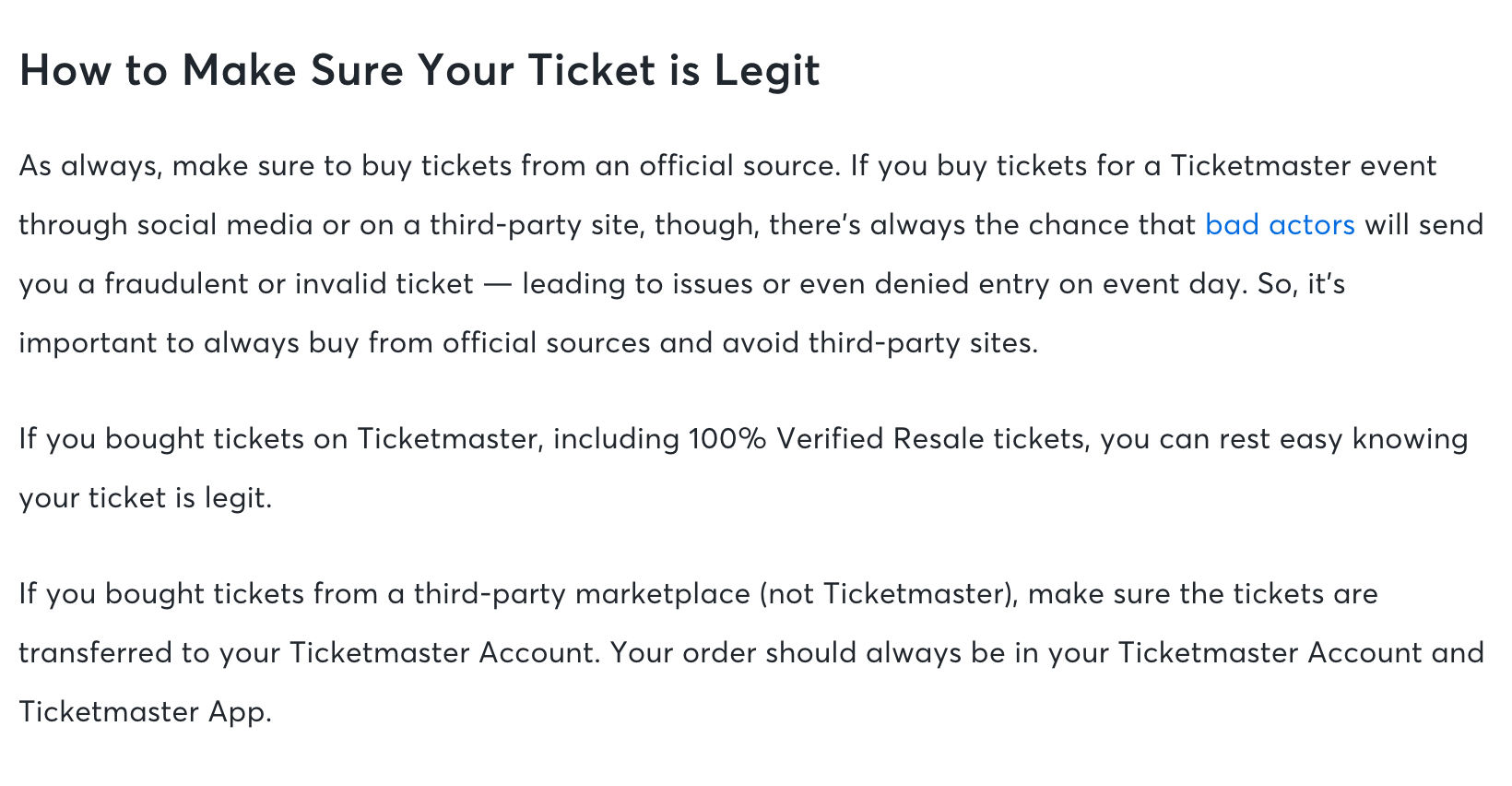
Screenshot: Ticketmaster says tickets bought on Ticketmaster, including 100% Verified Resale tickets, are legitimate. Captured 2026-08-01.
The supported purchase path matters more than the image someone sends you. Ticketmaster's 2026 mobile-ticket update says its refreshed tickets use a live barcode and an animation intended to make screenshots ineffective. A convincing screenshot is therefore not proof of ownership or entry.
See the mobile-ticket change in motion
Post: Ticketmaster on TikTok, published 2026-03-02. The official demonstration shows the live barcode, delayed-barcode notice, and screenshot-blocking update in motion. It is visual confirmation of Ticketmaster's safety guide, not a substitute for checking the ticket inside your own account.
For a normal Ticketmaster purchase, verify that:
- The order appears in your Ticketmaster account.
- The ticket appears in the Ticketmaster app, your mobile wallet, or the original provider named in the delivery instructions.
- The event, date, venue, section, row, and quantity match the order.
- Any transfer is accepted through the official email and account flow.
If a seller asks you to finish payment by bank transfer, cryptocurrency, gift card, or direct message, the listing is no longer protected merely because a Ticketmaster logo appeared earlier.
Why a real resale ticket may arrive later
A delayed barcode is not automatically evidence of fraud. Ticketmaster explains that some tickets are not released until closer to the event. For other events, Ticketmaster hosts a resale listing while AXS, SeatGeek, MLB Ballpark, or another company remains the original ticket provider. The seller then transfers the ticket through that provider.
Read the delivery date and provider in the confirmation email. If the stated date has not passed, waiting may be part of the documented delivery process. If it has passed, contact Ticketmaster Fan Support from the order in your account.
Two details prevent common false alarms:
- A transferred ticket can still display the original buyer's name; for the transfers Ticketmaster documents, venue entry depends on the valid barcode rather than that displayed name.
- A rotating or animated mobile ticket should be opened in the correct app. Do not rely on a saved screenshot.
If a page needs a normal signed-in session, PageDog's guide to watching a page respectfully explains why authentication and security challenges must remain manual.
Legitimate does not mean refundable or well priced
Treat authenticity, delivery, price, and flexibility as four separate decisions:
| Check | What to compare |
|---|---|
| Authenticity | Purchase platform, official account, and valid mobile delivery |
| Price | Equivalent section, row, view, quantity, and final total |
| Delivery | Release date, transfer provider, and account needed |
| Flexibility | Final-sale language and the cancellation or postponement policy |
Ticketmaster says resellers set resale prices, which may be above or below original face value. It also says third-party resale sales on its platform are generally final unless the event is canceled.
Do not confuse Official Platinum with fan resale. Official Platinum tickets are primary tickets priced according to demand; fan resale tickets have a previous owner. Both may be legitimate, but the label tells you who set the current offer and what you are comparing.
Useful competing guarantees and price checks
Ticketmaster is not the only resale marketplace, and each competitor defines its own protection:
- StubHub's FanProtect Guarantee describes StubHub's buyer remedy when an order does not arrive or is not valid. It is StubHub's own commercial guarantee, not an independent rating.
- SeatGeek's Buyer Guarantee explains SeatGeek's coverage for tickets purchased through SeatGeek.
- Ticketmaster's Face Value Exchange explains the special events where resale is capped at the original price instead of using ordinary market pricing.
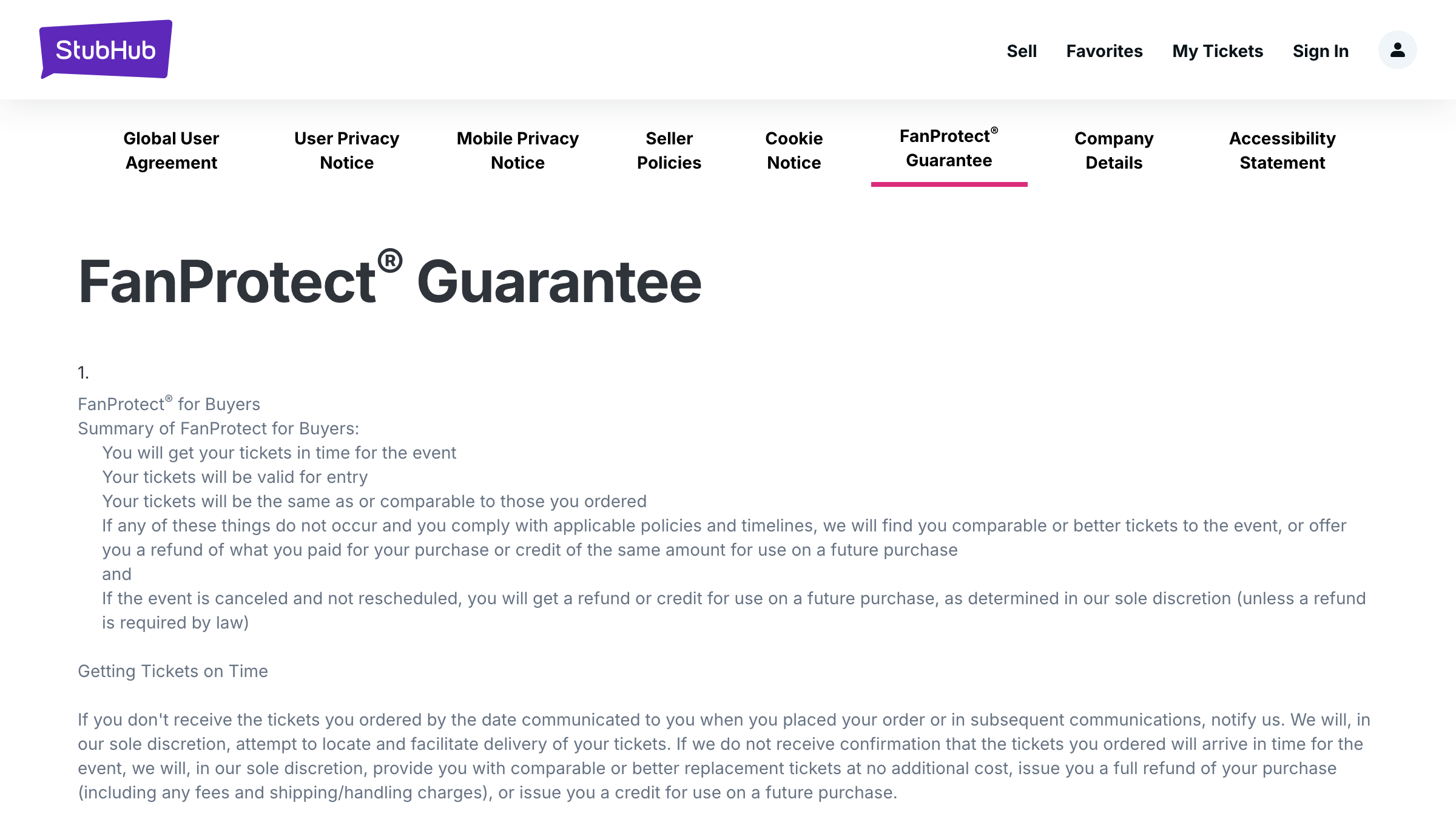
Screenshot: StubHub's FanProtect Guarantee lists timely delivery, valid entry, comparable tickets, and a replacement, refund, or credit as possible remedies under its policies. Captured 2026-08-01.
Compare the written remedy, delivery deadline, accepted ticket format, and final all-in total. A marketplace guarantee can reduce fraud risk; it cannot make an inconvenient seat or inflated price a good choice.
A safe decision rule
Buy only when all six statements are true:
- The order will be completed on the official marketplace.
- The ticket will appear in the named official account or app.
- The delivery timing still leaves enough time to resolve a failed transfer.
- The final total is acceptable for equivalent seats.
- The final-sale rule is acceptable.
- You understand any ID, age, accessibility, or mobile-entry restriction.
If any one of those is unclear, pause before checkout and resolve that exact uncertainty.
If you are waiting for a specific resale listing
Use Ticketmaster's account, delivery flow, and support to establish whether a ticket is legitimate. PageDog cannot authenticate a ticket or complete a purchase.
After that question is settled, PageDog can monitor one focused part of a permitted page for a condition the native tools do not express, such as “Alert me when one verified resale ticket in section 204 is visible below €120 all-in.” Keep the resale label, section, quantity, and displayed total inside the evidence. Checks run locally while PageDog is open, the Mac is awake, and the saved page session can load.
Research sources
Official and primary
- Ticketmaster: New Mobile Ticket safety guide — published 2026-03-02.
- Ticketmaster: Third-Party Resale Tickets — delivery, transfer, and final-sale guidance.
- Ticketmaster: How do I confirm if my tickets are valid or authentic? — official authenticity checks and supported purchase-path guidance.
- Ticketmaster: Face Value Exchange — updated 2026-01-29.
Competing marketplaces
- StubHub: FanProtect Guarantee — StubHub's buyer-protection terms.
- SeatGeek: Buyer Guarantee — SeatGeek's buyer-protection terms.