In this article
Key facts
| Question | Current answer | Important caveat |
|---|---|---|
| Is Airtable free? | Yes: $0 with 1,000 records per base | Free allows only five Owner/Creator/Editor collaborators per workspace. |
| How much is Team? | $20/user/month annually; $24 monthly | Commenters are billable on Team. |
| How much is Business? | $45/user/month annually; $54 monthly | On self-serve Business, Commenters are not billable; Editors and above are. |
| Are read-only users free? | Yes on self-serve paid plans | Editing, commenting, and interface permissions can change the answer. |
| What usually forces an upgrade? | Roles, records, automations, admin, or SSO | A higher per-seat plan can occasionally cost less if it removes many paid Commenters. |
These are public US list prices and self-serve billing rules checked on September 2, 2026. Sales-led Business and Enterprise Scale contracts can use different terms.
Airtable plans and prices at a glance
Airtable's official pricing page lists four tiers. Free is for small or lightweight workspaces; Team is the default paid plan; Business adds scale and administration; Enterprise Scale is custom-priced.
| Plan | Annual-billing rate | Month-to-month rate | Best fit |
|---|---|---|---|
| Free | $0 | $0 | A very small team can stay under 1,000 records and five editors. |
| Team | $20/billable user/month | $24/billable user/month | A working team needs 50,000 records, extensions, richer automations, and collaboration. |
| Business | $45/billable user/month | $54/billable user/month | A department needs 125,000 records, SSO, an admin panel, more automation, and stricter permissions. |
| Enterprise Scale | Custom | Custom | Governance, security, scale, procurement, or custom terms decide the purchase. |
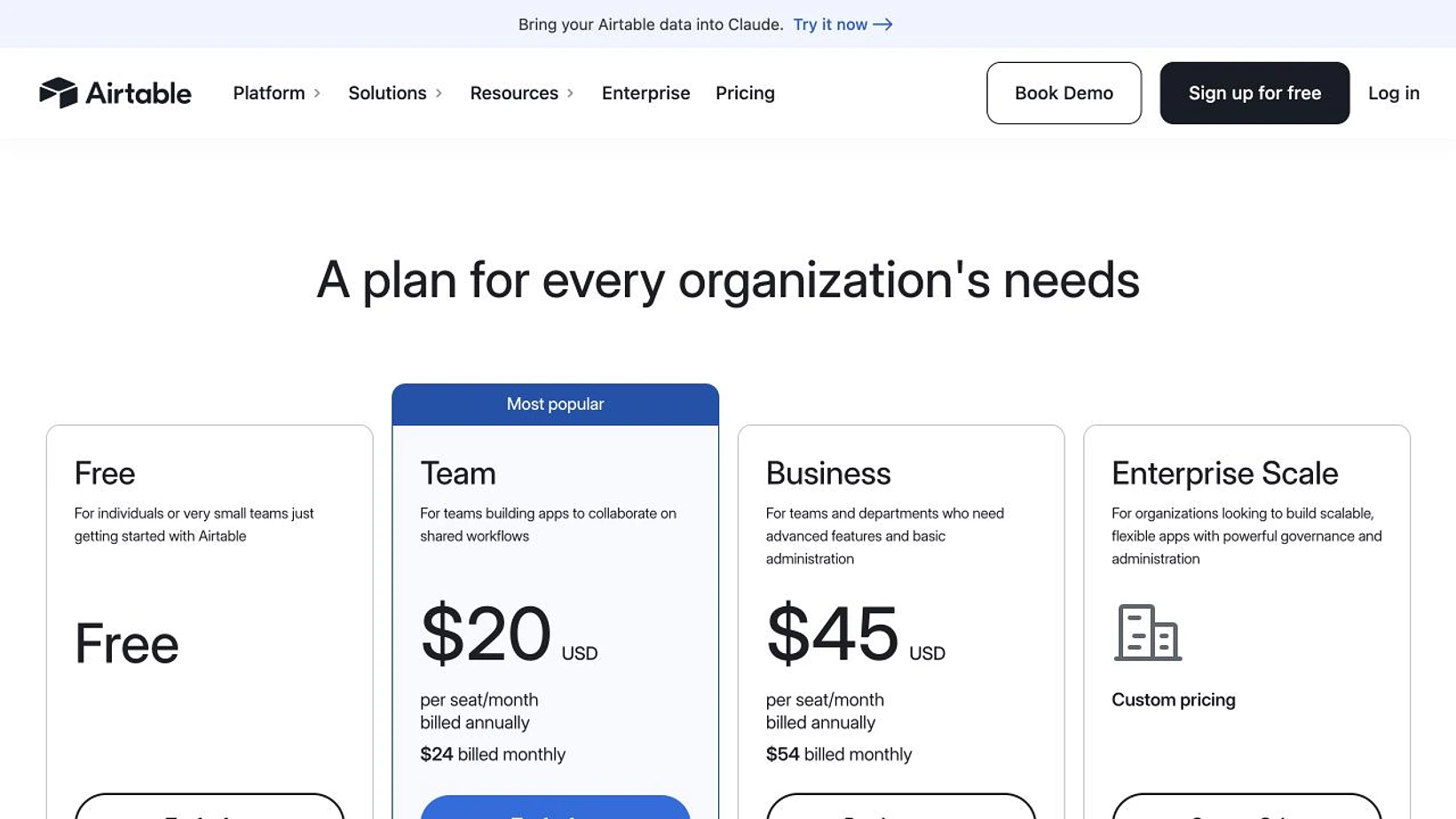
Screenshot: the official Airtable pricing page shows Team at $20 per seat monthly on annual billing ($24 monthly) and Business at $45 ($54 monthly). Captured 2026-09-02 from a 1,280-pixel browser session, then resized and conventionally sharpened to 1,640 pixels without altering the interface or values.
What 5, 10, or 25 billable users cost
These totals assume all listed people have a permission level that is billable on the selected plan.
| Billable users | Team, billed annually | Team, billed monthly for 12 months | Business, billed annually | Business, billed monthly for 12 months |
|---|---|---|---|---|
| 5 | $1,200 | $1,440 | $2,700 | $3,240 |
| 10 | $2,400 | $2,880 | $5,400 | $6,480 |
| 25 | $6,000 | $7,200 | $13,500 | $16,200 |
Annual billing saves $48 per Team seat or $108 per Business seat over a full year. That is a meaningful discount, but annual plans are less forgiving when collaborators change.
The Airtable collaborator billing guide says adding a billable collaborator to an annual workspace creates a charge for the remaining annual contract. Removing someone does not reduce the current invoice; it makes the seat reusable until the next renewal.
Who is billable on Airtable?
Airtable charges the workspace, not the person's overall Airtable account. A collaborator becomes billable by having a qualifying permission on at least one workspace, base, or interface in that paid workspace.
| Permission | Free | Team | Self-serve Business |
|---|---|---|---|
| Owner | Included, up to the five-editor cap | Billable | Billable |
| Creator | Included, up to the five-editor cap | Billable | Billable |
| Editor | Included, up to the five-editor cap | Billable | Billable |
| Commenter | Included, up to 50 | Billable | Not billable |
| Read-only | Not billable | Not billable | Not billable |
| Shared-view visitor or form submitter | Not billable | Not billable | Not billable |
The pricing-page FAQ simplifies paid billing as “users with edit permissions.” Airtable's role-specific Help Center, updated August 28, 2026, is more precise: Commenters are billable on Team but not on self-serve Business. Use the detailed rule when forecasting an invoice.
The surprising case where Business can cost less
Suppose ten people review a workflow: three need Editor access and seven only need to comment.
| Role mix | Team annual cost | Self-serve Business annual cost |
|---|---|---|
| 3 Editors + 7 Commenters | 10 × $20 × 12 = $2,400 | 3 × $45 × 12 = $1,620 |
| 8 Editors + 2 Commenters | 10 × $20 × 12 = $2,400 | 8 × $45 × 12 = $4,320 |
Business wins the first case by $780 because seven Commenters stop consuming paid seats. Team wins the second because nearly everyone must edit. This is not a loophole: it is the published self-serve permission model. Sales-led contracts may differ, and Business requires a private email domain.
Do not downgrade real editors simply to reduce cost. Set the least-privileged role that still supports the workflow, then price that honest role mix.
Automation Helpers' March 9, 2026 walkthrough covers plan limits, AI credits, per-seat pricing, and who each tier suits. The creator sells Airtable and automation services, so use the video for orientation; current prices and billing rules should come from Airtable's live pages.
Limits that can change the right plan
Airtable's plan overview, updated August 14, 2026, makes the capacity jump clearer than the headline prices do.
| Limit | Free | Team | Business |
|---|---|---|---|
| Records per base | 1,000 | 50,000 | 125,000 |
| API calls per workspace/month | 1,000 | 100,000 | Unlimited |
| Automation runs/month | 100 | 25,000 | 100,000 |
| Attachment storage per base | 1 GB | 20 GB | 100 GB |
| Revision and snapshot history | 2 weeks | 1 year | 2 years |
| Included AI credits | 500 per Editor+ | 15,000 per billable user | 20,000 per billable user |
The record limit is cumulative across all tables in one base. Hitting 50,000 records on Team does not delete data, but Airtable can block new records or attachments until the workspace is reduced or upgraded; automations and API calls are capped at the plan limit.
Portals and extra AI credits are separate. The live page currently advertises Team Portals from $120 a month for 15 guests and Business Portals from $150; quote the live page before treating either as a fixed budget line.
How to choose without overpaying
- Count only people who need Owner, Creator, Editor, or Commenter access.
- Price Commenters differently on Team and self-serve Business.
- Check the largest base, monthly automation runs, API calls, and required history.
- Add Portals, extra AI credits, and tax separately.
- Choose monthly billing if the role mix is still changing; choose annual after it stabilizes.
For most editor-heavy small teams below 50,000 records, Team is the economical default. Business becomes credible when admin, SSO, scale, or a commenter-heavy workflow offsets the higher per-editor rate.
How to catch an Airtable pricing change
Use Airtable's account pages for your private invoice. For public changes, PageDog can watch one stable visible region—such as the Team price, the role-billing Help Center section, or a records limit—and notify you when that evidence changes. Save the exact URL and one condition per monitor; a public-page monitor cannot see private contracts or workspace permissions. See the SaaS pricing changes guide, the website price-tracker guide, or PageDog documentation.
Research sources
- Airtable pricing — current public prices, headline limits, AI credits, and Portals starting prices.
- Airtable plans overview — detailed capacities and role rules by plan.
- How collaborators impact billing — billable permissions, Team-versus-Business commenter treatment, and renewals.
- Adding and managing billable collaborators — current monthly and annual seat rates and collaborator changes.
- Automation Helpers' embedded March 2026 pricing walkthrough — independent practitioner context, with commercial-service bias disclosed.