In this article
Start with Hello Games' current release log
Open the official No Man's Sky release log and compare the version and platform labels with your device. For development announcements and future launches, read the separate official news page.
Next update can mean a named content update, maintenance patch, expedition or a version launching on another platform. These are not interchangeable events. A video predicting Cosmos may still rank for the question even though that update has shipped.
| Item checked October 14, 2026 | Official status | Important distinction |
|---|---|---|
| Cosmos | Released named update | An old post calling it next is not a future date |
| Cosmos 7.06 | Listed maintenance patch with platform tags | Not necessarily the version on every platform |
| iPhone and iPad version | Announced October 28 launch | Not a new PC or console expansion that day |
| Player prediction about another expansion | An expectation | Not a developer-confirmed date |
Use your storefront or console's normal update controls for downloads. A website alert cannot install a patch or make it available sooner. For a particular fix, compare the release note with your installed version rather than relying on the newest headline alone.
Read platform tags before comparing patch numbers
In the browser check, the log listed Cosmos 7.06 for PC, PS4, PS5, Xbox One, Xbox Series X/S and Xbox Game Pass. That row did not include a Nintendo Switch tag. This describes the official labels at the check time, not a claim that they cannot change.
Nearby entries show why this matters. The 7.03 entry includes Nintendo Switch 1/2, whereas 7.03.1 is labelled PC and PS5. Treat each row as its own platform statement. Do not combine the broadest platform list from one row with the highest number from another.
The October 5 Cosmos 7.06 post provides the patch's explanation. Read the matching post to determine whether your issue is addressed. A maintenance number alone does not tell you which gameplay problem was fixed.
For a group on different devices, note each person's platform, installed version, relevant release entry and desired fix. If a friend's version is ahead of yours, check the platform wording first. That difference alone is not proof that your update controls are broken. Nor does a PC tag establish a specific Mac build number without further platform information.
Recognize Cosmos as released content
Hello Games published its Cosmos launch post on September 9, 2026. References to the next update belong to that announcement's context. Search engines can retain that phrase after release.
The Cosmos update page describes released content, including directing a space station and joining a galactic alliance. Use it to check what the named update contains. Use later patch notes for maintenance changes. Neither page establishes an unannounced date for whatever comes after Cosmos.
Our Terraria update guide describes a similar version-reading problem: a content milestone and a later hotfix answer different questions. Return to the relevant developer's source. Another game's release pattern is not evidence of Hello Games' schedule.
Separate the October 28 iOS launch from an expansion
The October 12 iOS announcement gives October 28, 2026 as the planned iPhone and iPad launch. It says the game includes Cosmos, rather than presenting mobile availability as a new PC expansion.
Hello Games says it will be free to try at launch, supports iPhone 11 and third-generation iPad Air and above, and has platform-specific limits: multiplayer is not supported, while planetary settlements require iPhone 15 Pro or above. Check the current App Store listing for your device and country before deciding what you can download.
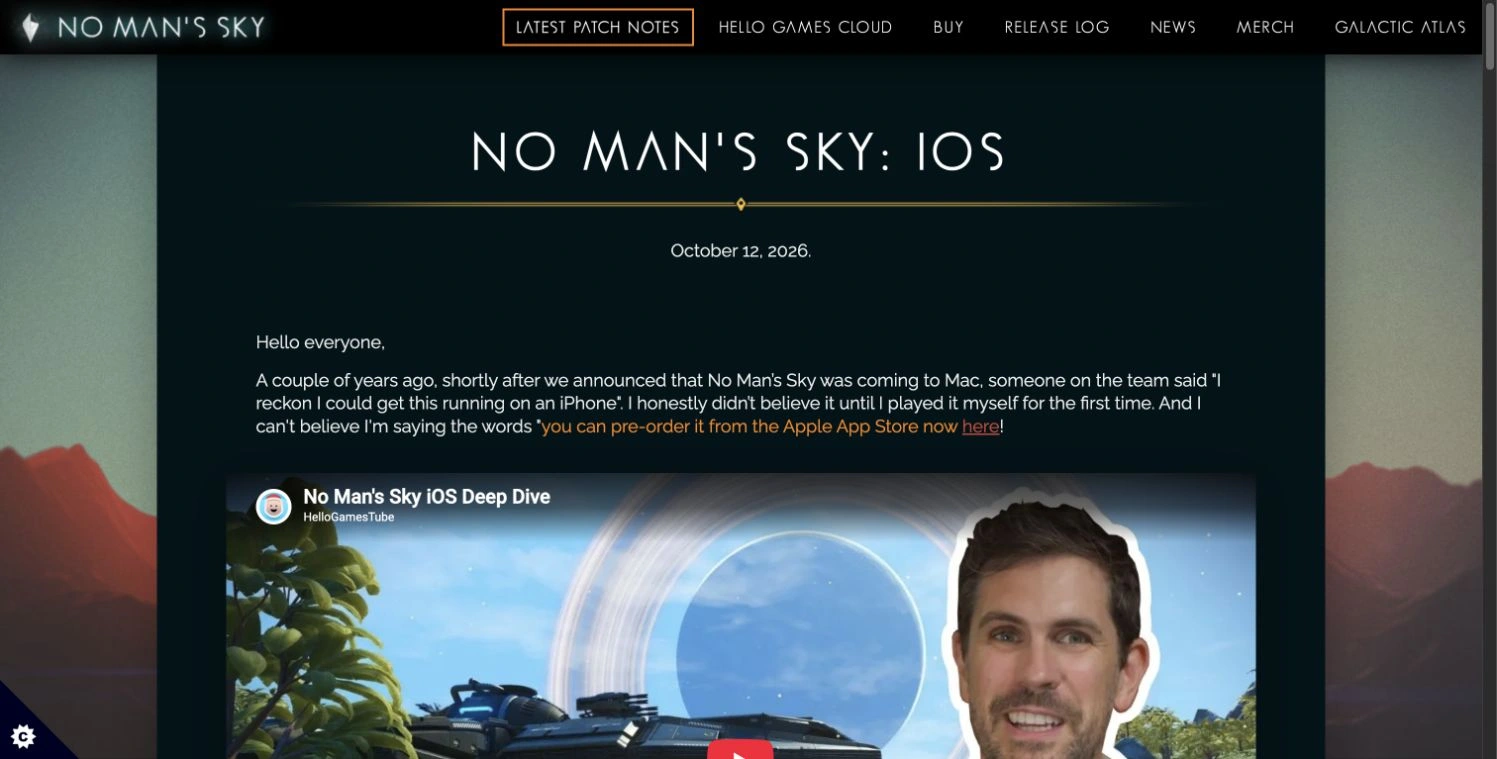
Source: Hello Games' iOS announcement, captured October 14, 2026. The headline identifies a platform launch, not the next PC or console expansion.
The developer's demonstration shows mobile controls and explains the port:
Video: HelloGamesTube, published October 12, 2026. This official demonstration explains the iOS version. It does not confirm a future expansion date or multiplayer support for that version.
Follow the release condition that matters to you
For broad news, check Hello Games' news and the game's Steam announcements. Use native game or storefront controls when you need to download a released update.
For a particular platform's release note, PageDog can check the visible top entries of the official release log locally on your Mac. For example: “A released Cosmos patch newer than 7.06 is listed with a Nintendo Switch 1/2 platform tag.” Include the title and platform labels in the selected area. The release-log view remained available after reload in the October 14 browser check.
Use the PageDog setup guide, choose that area and exact condition, then review matching evidence. Open the note yourself to verify the changes. PageDog does not inspect your installed game, infer availability from an unrelated platform's post or install updates. Your Mac must be available for local checks.
Our selected-area monitoring guide explains how to keep the condition focused. This follow-up serves a version-and-platform question. It adds little when all you need is the storefront's ordinary update control.
Decide from a version and a source
For current fixes, check the released patch and platform tags. For iOS, use the announced October 28 launch and device-specific listing. For a later PC or console expansion, wait for a dated developer announcement instead of extrapolating from a trailer, anniversary or last year's pattern.
Keep version, platform, release status and source date together. That checklist prevents an already-released update from remaining upcoming in your plans and stops a future launch from being applied to the wrong device.